The email MCP server for a private mailbox.
Let Claude, Cursor or any MCP client read, search, reply and send your email, attachments included. In Claude, your mail appears as interactive cards, and nothing is sent until you click Send.
Your mail, right in Claude
With the hosted server, Claude shows mail as interactive cards. Your agent does the legwork, and you stay in charge of what goes out.
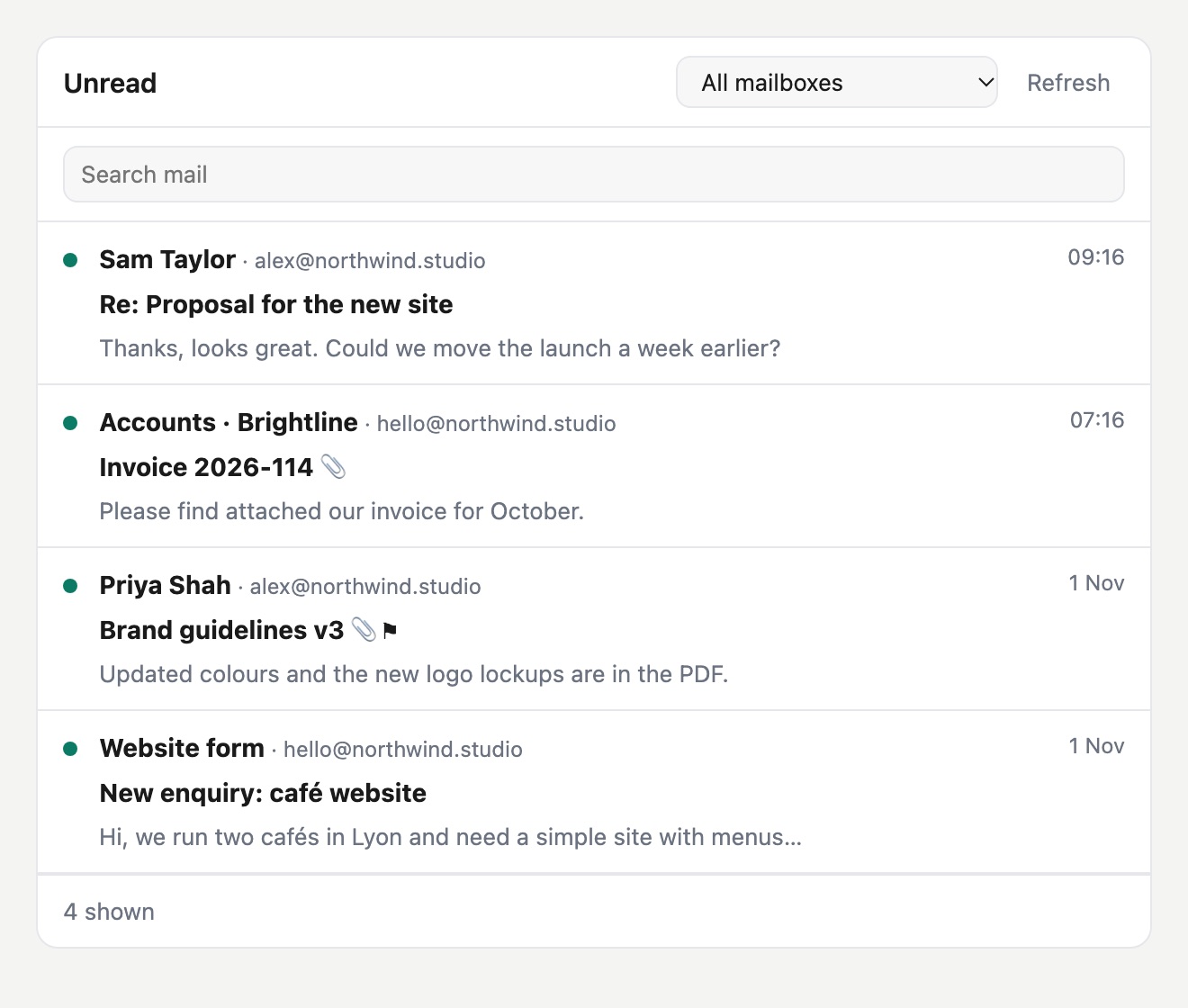
Your inbox, in the chat
Ask for unread mail or a search, and browse the results across all your mailboxes. Open, archive or flag without leaving the conversation.
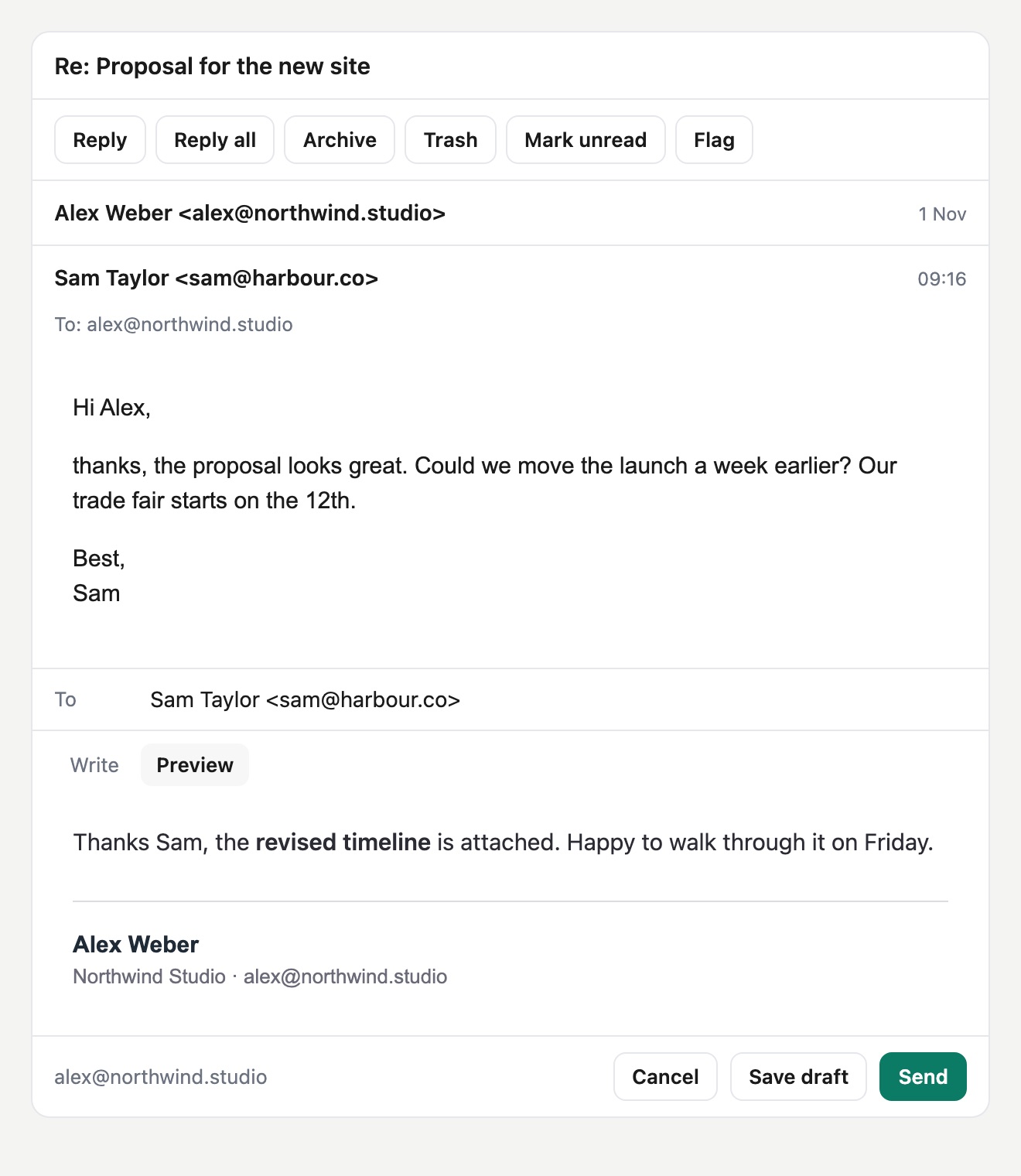
Read, reply, and you press Send
Read the whole conversation, write or let your agent draft a reply, and see exactly how it will look. Nothing leaves until you click Send.
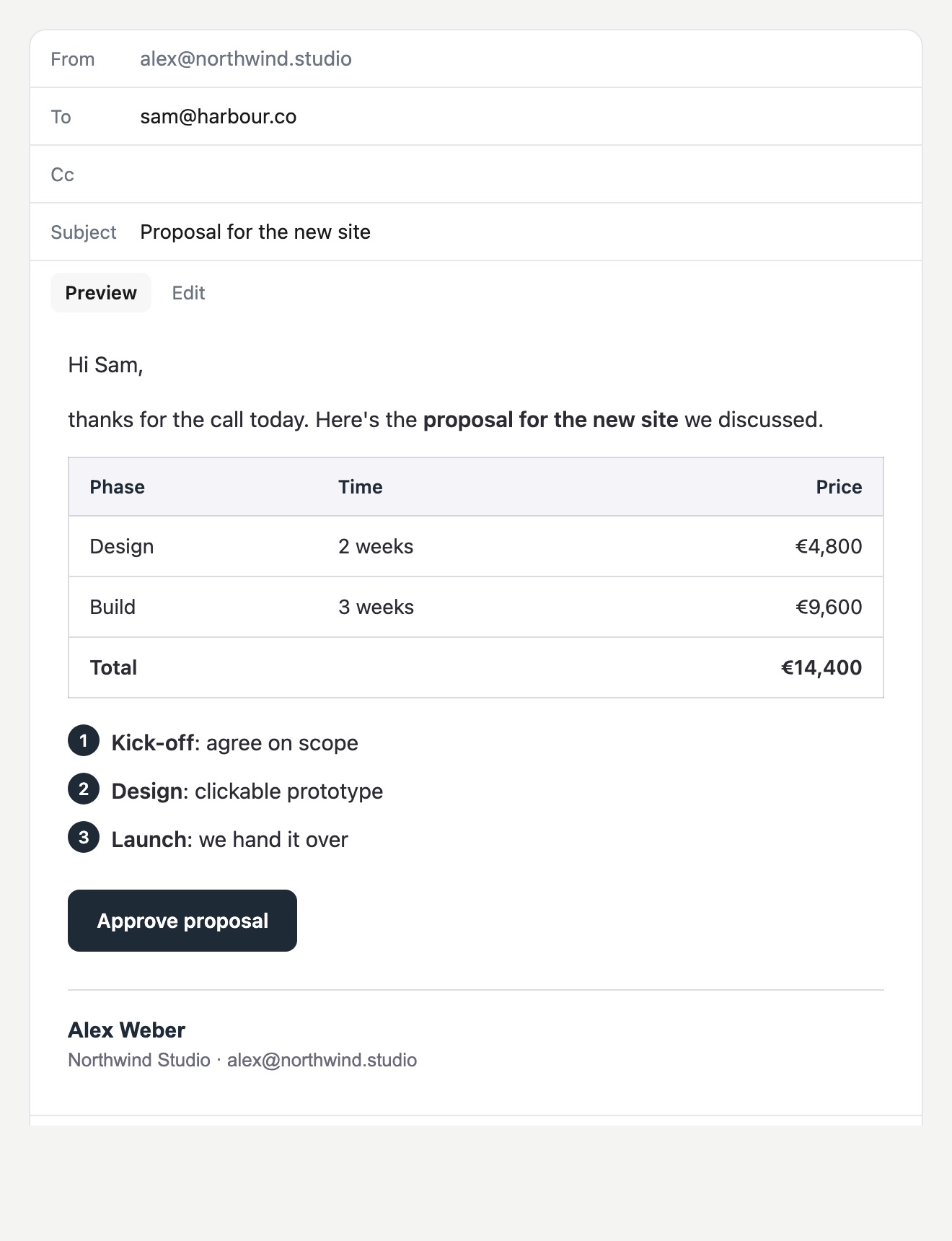
Formatted mail, in your brand
Your agent writes plain Markdown. Recipients get tables, quotes, steps and buttons in your colours, with your signature added.
Example data. Cards use the open MCP Apps standard; clients without it get the same tools as plain text.
What your agent can do
Triage the inbox each morning, find a contract, reply in-thread, or prepare replies for you to check.
Find and read
Search by sender, date, folder or attachment, and read whole conversations. HTML mail arrives as clean text.
- list_recent_emails
- search_emails
- read_email
- get_thread
- list_mailboxes
Open attachments
Text and PDF files come back as text, images as images, and other files as binary.
- get_attachment
Write and send
Your agent writes Markdown and recipients get formatted mail with a plain-text version. Attach new files or reuse ones from another message.
- send_email
- reply_email
- create_draft
- create_reply_draft
- send_draft
Cards for people
On the hosted server, these open interactive cards in Claude where you browse, reply and send yourself.
- show_emails
- show_email
- preview_email
Organise
Sort mail in bulk, up to 100 messages at a time. Trash is reversible, and there's no permanent delete.
- move_email
- flag_email
- set_read_status
- label_email
- create_folder
Two ways to connect
Hosted, with OAuth
Add this URL as a remote server in your MCP client and sign in. There's nothing to install.
https://mcp.lettio.eu/mcpStreamable HTTP · OAuth 2.1 · up to 10 mailboxes per connection.
Local, over stdio
Run it on your own machine with an app password. In Claude Desktop, add this to your config and restart:
{
  "mcpServers": {
    "lettio": {
      "command": "npx",
      "args": ["-y", "@lettio/mcp"],
      "env": {
        "LETTIO_USERNAME": "you@yourcompany.eu",
        "LETTIO_PASSWORD": "your-app-password"
      }
    }
  }
}
Both options need a Lettio mailbox. Building something where agents operate many inboxes? See Lettio for Developers.
Built on limits, not on hoping the model behaves
An agent in your inbox is powerful, so what it can do is set by the server. More on this in giving an AI assistant access to your inbox, safely.
Sending is off until you allow it
On the hosted server, a new connection can read, organise and draft, and you send from the card yourself. The agent can only send on its own if you tick that box when you sign in, and then only as your own addresses. There is no way to name a different sender, so a malicious email can't talk it into writing as your finance team.
Capabilities are a defined list
The listed tools are the whole surface. Actions that aren't on the list, such as changing a password or editing settings, aren't available to the agent.
Access you can see and limit
The hosted server uses OAuth 2.1, and a connection covers only the mailboxes you add when you sign in. Each one uses a dedicated app password, not your main login, so you can revoke access on its own.
A mailbox under EU jurisdiction
Your mail lives on our own EU servers, under the GDPR, and is never used to train a model. The assistant you connect is your choice, and whatever it reads is handled under that provider's terms.
Three ways to put email behind MCP
A connector on a mailbox you already have
Quick to add, but it inherits that provider's jurisdiction, data practices and sending permissions. The limits on an agent depend on the connector you picked.
An inbox built only for agents
Good for automated flows, but it's infrastructure rather than a mailbox you'd live in, and it doesn't replace the address your business runs on.
A private mailbox with MCP built in
What Lettio is: one real mailbox on your own domain, used by people and agents alike, with the same guarantees for both. It does mean moving your mail to Lettio.
Questions
- What is an email MCP server?
- It's a service that exposes a mailbox to AI assistants over the Model Context Protocol, an open standard. Instead of a one-off integration, the assistant gets a defined set of actions such as search, read and reply, and any MCP client can use them.
- Does it work with my current mailbox?
- No. Lettio's MCP server connects to a Lettio mailbox, because the safeguards on this page depend on the mail server behind it. You can bring your own domain, and we handle migration from your old provider for you.
- Which AI clients does it work with?
- Claude, Cursor and any other MCP client. Clients that support remote servers can use the hosted URL. Others can run the local package over stdio, which needs Node.js 18 or newer.
- Can I connect several mailboxes?
- Yes. On the hosted server, add up to 10 mailboxes when you sign in; searches cover all of them, and replies go out from the right one. With the local package, list them in its configuration.
- Is my mail end-to-end encrypted when an agent reads it?
- No, and no mailbox with a working assistant can honestly claim that, because the assistant has to read your mail to help with it. Lettio encrypts mail in transit and in backups, and our promise is EU jurisdiction, hard limits on what agents can do, and your control.
- What about prompt injection?
- No server can stop a model from being misled by text in an email, so we limit what a misled model can do. It can't send as anyone else, and it can't act outside the listed tools. With the hosted server, the agent prepares mail and you send it from the card, so nothing leaves without you seeing it.
- What does it cost?
- Agents are included in the per-mailbox price, from €2, with no separate MCP fee. If you need many mailboxes operated by agents, Lettio for Developers is a separate, usage-based product.
New to the protocol? Start with what MCP is, and why it matters for email.
Be early to European AI email.
Lettio is in a closed beta. Tell us about your domain and we'll invite you in, with a 14-day trial that needs no card.
Request beta access